Amazon Music Subscription in India 2026: Plans, Price & Free Trial

If you already have Amazon Prime, you might think you can listen to every song on Amazon Music without paying anything extra. That was a straightforward assumption earlier, but Amazon’s music subscription options in India changed in 2026. Now, the difference between the Prime-included service and Amazon Music Unlimited matters more than ever.
Whether you enjoy Bollywood songs during your morning commute, Hindi playlists while cooking, or relaxing music after work, this guide explains which Amazon Music subscription makes sense for your needs and budget.
Does Amazon Prime include Amazon Music?
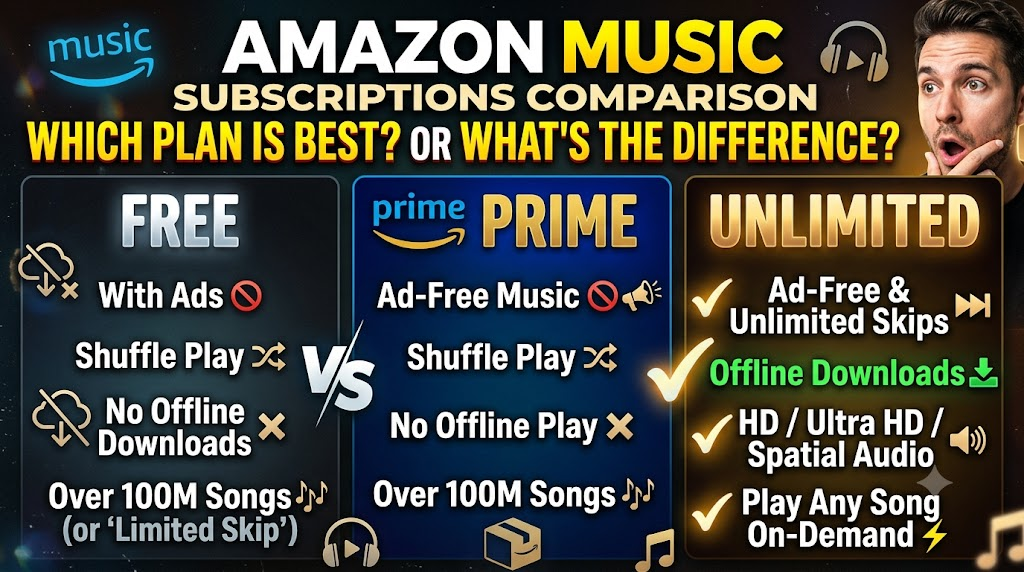
Yes. An eligible Amazon Prime membership includes access to Amazon Music without an additional music subscription fee. However, the Prime-included experience differs from Amazon Music Unlimited. The Prime service has limited advertising and does not include the same offline-download and premium audio features as Unlimited. Amazon Music Unlimited is a separate subscription that offers ad-free playback, on-demand song selection, offline downloads, and higher-quality audio.
Amazon Music Unlimited was reported at ₹99 per month for Prime members and ₹119 per month for non-Prime members when it launched in India in June 2026. Eligible users were also offered promotional free trials. Your actual price and trial eligibility may differ, so check the offer displayed in your Amazon account before subscribing.
Check: Amazon Great Indian Festival Sale 2026: Top Deals and Offers
Amazon Music Subscription Plans in India
Amazon Music offers different listening experiences, so you don’t necessarily need to pay for the most expensive option.
| Feature | Amazon Music for Prime Members | Amazon Music Unlimited | Amazon Music Free |
|---|---|---|---|
| Additional music subscription | Included with eligible Prime membership | Paid subscription | No subscription fee |
| Advertisements | Limited ads | Ad-free listening | Ad-supported |
| Song selection | Available features may differ from Unlimited | On-demand selection | Limited compared with premium listening |
| Offline downloads | Unlimited-style song and album downloads aren’t included | Yes | Premium download features aren’t included |
| HD and Ultra HD audio | Not included as Unlimited benefits | Available for supported tracks and devices | Premium audio features aren’t included |
| Spatial Audio | Not included as an Unlimited benefit | Available for supported content and equipment | Premium audio features aren’t included |
| Podcasts | Available, subject to plan features | Available | Availability and features may vary |
| Best suited for | Existing Prime members who want music without another subscription | Listeners who want ad-free, on-demand and offline listening | People who want to try music streaming without paying |
Plan features and availability can change. Check Amazon’s current India offer for the exact features included with each tier. Amazon’s official help documentation describes Unlimited as its premium, ad-free service, with HD, Ultra HD, Spatial Audio and offline listening.
1. Amazon Music for Prime Members: What Do You Get?
Amazon Music is one of the entertainment benefits associated with an eligible Amazon Prime membership. You don’t have to purchase a separate Unlimited subscription just to access the Prime-included service.
This can be useful for households that already pay for Prime for shopping or video streaming.
Benefits of Amazon Music Prime
Music without a separate subscription fee
If your household already has an eligible Prime membership, you can access the included music service without adding another monthly music payment.
For example, someone who uses Amazon Prime for regular household shopping can also use its music service rather than immediately paying for another streaming platform.
Access to songs and podcasts
Amazon Music provides access to a large music catalogue and podcasts. The precise listening features depend on the subscription tier and current service rules.
Convenient listening across supported devices
You can use the Amazon Music app on compatible smartphones and other supported devices. If you use Alexa-compatible smart speakers, voice commands can make playback more convenient.
For example, you could ask a compatible Alexa device to play a Hindi music playlist while you prepare dinner.
What are the disadvantages?
The Prime-included service is not the same as Unlimited.
- Limited advertisements may interrupt listening.
- Premium audio features aren’t included as they are with Unlimited.
- You don’t get Unlimited’s full offline-download functionality.
- The experience may not suit someone who wants uninterrupted playback and complete control over every song.
Who should choose it?
Choose the Prime-included service if you already pay for Prime and mainly listen to playlists, familiar songs and podcasts. It is a sensible starting point before adding another subscription to your monthly expenses.
2. Amazon Music Unlimited: Is the Upgrade Worth It?

Amazon Music Unlimited is designed for listeners who want more control over their music.
Unlike a service that limits particular playback features, Unlimited offers on-demand song selection, ad-free listening, offline downloads and higher-quality audio for supported content and equipment.
Amazon Music Unlimited price in India
At launch in June 2026, reported pricing was:
| Customer | Reported monthly price |
|---|---|
| Eligible Prime member | ₹99 |
| Non-Prime member | ₹119 |
These are reported launch prices, not a guarantee of the current offer. Check the subscription page before making a payment.
Prime members pay for Unlimited separately from their existing Prime membership. The ₹99 music upgrade does not replace the Prime membership fee.
Benefits of Amazon Music Unlimited
1. Ad-free music
If advertisements interrupt your favourite songs, Unlimited offers a more continuous listening experience.
For example, you can listen to music while exercising or working without the advertising interruptions associated with an ad-supported tier.
2. On-demand song selection
You can choose individual songs rather than relying on a limited playback experience.
This is useful when you want to listen to a particular track, create a playlist for a family gathering or play a specific song during a workout.
3. Offline downloads
You can download supported songs, albums and playlists within the app for offline playback.
This is useful when travelling by train, commuting through areas with weak mobile coverage or trying to reduce mobile data consumption.
4. HD, Ultra HD and Spatial Audio
Unlimited offers higher-quality audio for supported tracks and compatible devices.
However, don’t assume that every song will sound dramatically better. The difference you hear depends on the recording, headphones or speakers, listening environment and your own preferences.
If you normally listen through an ordinary phone speaker in a noisy kitchen, premium audio quality may not be the feature that matters most to you.
What are the disadvantages?
- It costs extra, even if you already have Prime.
- You need an internet connection to stream music unless the content has been downloaded for offline listening.
- Higher-quality downloads may consume more storage.
- The benefits of premium audio depend on compatible content and equipment.
Who should choose Unlimited?
Consider it if you listen to music daily, dislike advertisements, want to download albums before travelling or value higher-quality audio.
If you only listen occasionally, the additional monthly cost may not be worthwhile.
3. Amazon Music 3 Months Free: How Does the Trial Work?
The keyword “amazon music 3 months free” is particularly relevant to people who want to try Unlimited before paying.
When Amazon Music Unlimited launched in India in June 2026, reports described a six-month trial for eligible Prime members and a three-month trial for eligible non-Prime customers. Promotional terms can change, and the offer shown to your account may be different.
How to check whether you qualify
- Open the official Amazon Music website or the Amazon Music app.
- Sign in using your Amazon account.
- Find the Amazon Music Unlimited subscription offer.
- Check the trial duration shown on the offer page.
- Read the price that applies after the trial.
- Review the payment and automatic-renewal conditions before accepting.
Do not assume that every customer qualifies for a three-month or six-month trial.
Eligibility may depend on previous subscriptions, promotional conditions, membership status and the offer available to your account.
What happens after the free trial?
A free trial normally converts to a paid subscription automatically unless you cancel according to the applicable terms.
For example, if your offer states that the subscription will renew at ₹119 per month after the trial, that is the amount you should expect to pay once the promotional period ends, unless the terms or your eligibility provide otherwise.
Before starting a trial:
- Note the date on which billing begins.
- Check the renewal price.
- Read the cancellation instructions.
- Check whether recurring payments or an automatic payment mandate will be established.
- Set a reminder a few days before renewal if you don’t intend to continue.
Amazon’s subscription terms explain that certain trial plans automatically convert to paid plans unless cancelled before the trial ends.
My advice: Treat a free trial as a chance to evaluate the service, not as a reason to subscribe without checking the renewal conditions.
4. How to Download Songs on the Amazon Music App
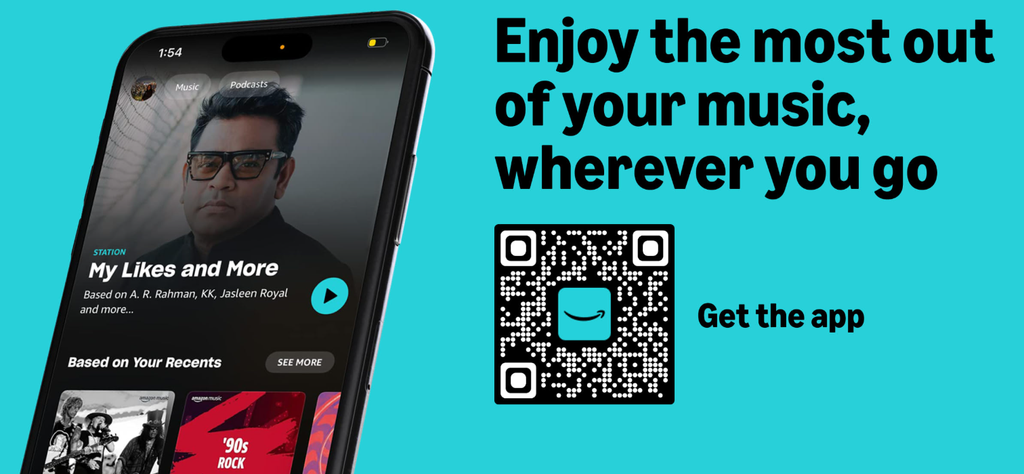
The search term “amazon music download” can mean two different things: downloading the app or downloading songs to listen offline.
Here, we’re discussing offline music playback.
Amazon’s official instructions distinguish between the Prime-included experience and Unlimited. With Unlimited, you can download eligible songs, albums and playlists for offline playback. The downloaded tracks remain accessible within the Amazon Music app; they aren’t ordinary music files that you can freely export to another player.
Steps to download songs
- Install or open the Amazon Music app on your compatible smartphone.
- Sign in with the Amazon account linked to your eligible subscription.
- Search for the song, album or playlist you want.
- Open the relevant album or playlist page.
- Tap the download option.
- Wait for the download to finish while connected to the internet.
- Open your downloaded music when you want to listen offline.
For an individual song, the download option may be available through the song’s additional-options menu.
The exact interface can vary by device and app version.
How to save mobile data
If you regularly listen to music while travelling, a few simple steps can help:
- Download music over Wi-Fi before leaving home.
- Check the download quality setting.
- Enable the option to stream only over Wi-Fi if you want to avoid mobile-data streaming.
- Use the app’s offline playback options when you don’t have an internet connection.
Higher-quality audio files can use more storage, so balance audio quality against the space available on your phone.
Can you download Amazon Music songs as MP3 files?
Not through the standard offline-download feature for subscription music.
Subscription downloads are intended for playback within the Amazon Music app. They aren’t a way to obtain unrestricted MP3 files for copying to a pen drive or transferring to another music player.
If you specifically need a downloadable music file, check whether the track is offered for purchase as a separate digital product and review the applicable terms.
5. How to Download the Amazon Music App
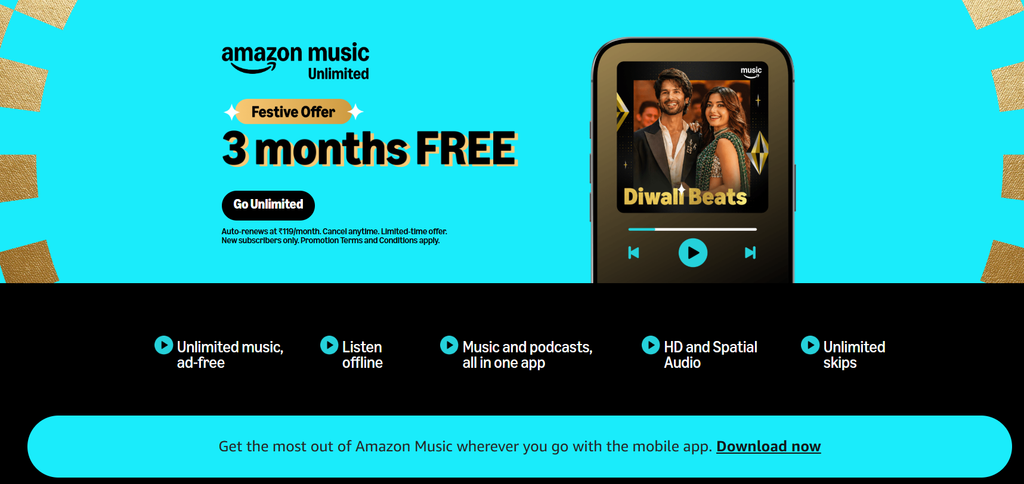
You don’t need a special music player to get started.
The Amazon Music app is available through official app stores for supported devices.
For Android users
- Open Google Play Store.
- Search for Amazon Music.
- Check that the publisher is Amazon Mobile LLC.
- Tap Install.
- Open the app and sign in.
You can find the official listing by searching for Amazon Music in the Google Play Store.
For iPhone users
- Open the Apple App Store.
- Search for Amazon Music.
- Verify the app publisher.
- Install the app.
- Sign in with your Amazon account.
Avoid downloading modified APK files from unfamiliar websites. Official app stores are the safer starting point because they help you verify the publisher and receive legitimate app updates.
Can you use Amazon Music without Prime?
Yes, depending on the service and offer available in India.
Amazon Music Unlimited is available as a separate subscription for eligible non-Prime customers. Amazon Music also has an ad-supported Free tier, but its current features and availability should be checked in the official app.
You don’t need to buy a Prime membership just to investigate whether a separate music subscription meets your needs.
6. Amazon Music Prime vs Unlimited: Which Is Better for You?
The right choice depends on how you listen, not simply on which plan has more features.
| Your situation | Suggested option | Why |
|---|---|---|
| You already have Prime and listen occasionally | Prime-included music | No additional music subscription payment |
| You want to choose individual songs and avoid ads | Unlimited | Offers on-demand, ad-free listening |
| You travel frequently and need offline listening | Unlimited | Supports downloads for offline playback |
| You want premium audio quality | Unlimited | Offers supported HD, Ultra HD and Spatial Audio |
| You only want to try streaming without a paid subscription | Free tier, where available | No paid subscription required |
| You rarely listen to music | Start with the included or free option | You may not benefit enough from an upgrade |
| You want to control monthly expenses | Compare your actual offer before subscribing | Avoid paying for features you rarely use |
Is Unlimited worth ₹99 per month for Prime members?
At the reported launch price, Unlimited costs ₹1,188 for 12 months if billed monthly at ₹99 throughout the year. That calculation excludes any price changes, taxes or promotional terms that may apply.
The question is whether you will use the additional features often enough to justify that expense.
If you listen to music for several hours each day, want offline albums for your commute and dislike advertisements, the upgrade may make sense.
If you play music occasionally while doing household chores, the Prime-included experience may be enough.
The same principle applies to non-Prime customers: compare the current Unlimited price with other services and consider whether you would benefit from Prime’s additional shopping and entertainment features before purchasing a bundle.
7. Amazon Music vs Spotify and YouTube Music
Amazon Music isn’t the only choice for Indian listeners. Spotify, YouTube Music, Apple Music and JioSaavn are alternatives worth comparing.
Rather than choosing a service based on its brand alone, consider the following:
| What matters to you | What to compare |
|---|---|
| Hindi and regional music | Search for your favourite artists, languages and regional playlists |
| Music discovery | Check personalised mixes, recommendations and new-release playlists |
| Offline listening | Compare the subscription requirements and download limits |
| Audio quality | Check the supported audio formats and your listening equipment |
| Family listening | Compare available family plans, account rules and simultaneous playback |
| Smart speakers | Check compatibility with your existing devices |
| Monthly cost | Compare the actual price offered to you, including promotional periods |
| Podcasts | Check the catalogue and features relevant to your interests |
Amazon Music can be attractive if you already use Amazon services or Alexa-compatible devices. Its Unlimited subscription also offers premium audio and offline playback.
However, that doesn’t automatically make it the best option for everyone. You may prefer another service’s interface, music recommendations, regional catalogue or subscription arrangements.
If you’re unsure, use an eligible free trial to test the features that matter to you. Don’t pay for a full year simply because a service offers a promotional price.
8. How to Check Offers Without Falling for Fake Discounts
Music subscriptions are digital services, so some shopping checks need to be adapted.
A subscription page may display a free trial, a reduced introductory price or a renewal price. These aren’t the same thing.
Check the final price
Before accepting an offer, verify:
- The price during the promotional period.
- The regular price after the offer ends.
- The date on which billing starts.
- Whether recurring payments are enabled.
- Whether the offer is restricted to particular customers.
A page saying “free for three months” doesn’t necessarily mean you will never be charged. Read the renewal terms before confirming.
Use official subscription pages
Avoid unfamiliar websites promising unusually long free trials or extremely low subscription prices in exchange for your Amazon login details.
Don’t share your Amazon password or one-time password with a third party claiming to activate a subscription.
If an offer requires you to sign in, check that you’re using Amazon’s genuine website or official app.
How do exchange offers work?
Exchange offers normally apply to eligible physical products, such as smartphones or home appliances. A buyer exchanges an eligible old product for a potential discount on a new purchase, subject to the seller’s conditions.
An exchange offer is not a standard way to reduce the price of an Amazon Music subscription.
If a third-party website claims that exchanging an old phone will unlock a special Amazon Music subscription, verify the promotion directly with Amazon before sharing personal information or making a payment.
Do return and warranty checks apply?
Return policies and product warranties generally concern physical goods, not ordinary digital music subscriptions.
For a music subscription, check the cancellation rules, renewal terms, refund eligibility and the process for resolving billing problems instead.
If you’re buying a separate device, such as a smart speaker or headphones, then the normal product checks matter: inspect the seller, final price, return window, warranty provider and included accessories.
Keeping these two purchase types separate helps prevent confusion between buying a product and subscribing to a digital service.
9. How to Cancel Amazon Music Unlimited
If you started a trial but don’t want to continue, review the subscription-management options in your Amazon account.
The exact steps can vary depending on how you subscribed and which billing provider manages the subscription.
A useful starting point is to open Amazon Music or your Amazon account, locate the relevant subscription settings, and follow the displayed cancellation instructions.
Before confirming cancellation:
- Verify which music plan you are cancelling.
- Check the date on which the current trial or billing period ends.
- Read the message explaining when access will end.
- Save the cancellation confirmation for your records.
- Check your account later to ensure the subscription status reflects your choice.
If you subscribed through an app store or another billing provider, you may need to manage the subscription through that provider instead.
Don’t assume that uninstalling the Amazon Music app cancels your subscription. Removing an app from your phone and cancelling a paid membership are different actions.
10. Frequently Asked Questions About Amazon Music Subscription India
Does Amazon Prime include Amazon Music?
Yes. Eligible Prime memberships include access to Amazon Music without a separate music subscription fee. However, the Prime-included service has different features from Amazon Music Unlimited, including differences in advertising, offline downloads and audio quality.
Is Amazon Music Unlimited available in India?
Amazon Music Unlimited launched in India in June 2026. It offers premium features such as ad-free playback, on-demand music selection, offline downloads and supported high-quality audio. Check the official subscription page for current availability and pricing.
How much does Amazon Music Unlimited cost in India?
Reported launch pricing was ₹99 per month for Prime members and ₹119 per month for non-Prime members. Prices and offers can change, so check the amount displayed in your account before subscribing.
Can I get Amazon Music Unlimited free for three months?
A three-month free trial was reported for eligible non-Prime users when Unlimited launched in India. Prime members were offered a different promotional period. Neither offer should be assumed to be available to every customer today. Check your account for the current trial and its renewal conditions.
Can I download songs with Amazon Music Prime?
The Prime-included service doesn’t provide the same offline-download functionality as Unlimited. Amazon’s current help documentation explains that Unlimited subscribers can download eligible songs, albums and playlists for offline listening.
Can I transfer downloaded Amazon Music songs to a pen drive?
Subscription downloads are intended for playback inside the Amazon Music app. They cannot be freely exported as ordinary music files for use in other apps or copied to external storage.
Can I use Amazon Music without a Prime membership?
Yes. Eligible users can subscribe to Amazon Music Unlimited separately. An ad-supported Free tier may also be available, depending on the current service offering in India.
Is Amazon Music better than Spotify?
Neither service is automatically better for everyone. Compare the music catalogue, regional-language selection, recommendations, offline listening, supported audio quality and actual subscription prices. Your listening habits should determine which service offers better value.
Will Amazon Music charge me automatically after a free trial?
A trial may automatically convert to a paid subscription unless you cancel before the end of the trial period. Check the specific terms displayed when you sign up and keep a reminder of the renewal date.
Is the Amazon Music app safe to download?
Use the official Google Play Store or Apple App Store listing and verify the publisher. Avoid unofficial modified apps and websites that request your Amazon login credentials.
Final Verdict: Which Amazon Music Subscription Should You Choose?
For most people who already pay for Amazon Prime, the sensible first step is to try the included music service before purchasing Unlimited.
If you mainly listen to playlists while cooking, working or relaxing, the included service may meet your needs.
If you want uninterrupted music, more control over song selection, offline downloads and premium audio features, Amazon Music Unlimited is worth considering.
If you’re not a Prime member, compare Unlimited’s current price with other streaming services rather than buying Prime solely for music without calculating the total cost.
Most importantly, check the price and free-trial terms shown in your account. Subscription offers change, and a promotional period is only useful if you understand what happens when it ends.
Bottom line: Choose the Amazon Music subscription that matches your listening habits. Don’t pay extra for premium features unless you’ll actually use them.
Recommended Reading:
- Amazon Great Indian Festival Sale 2026: Top Deals and Offers
- Amazon Prime Subscription Review 2026: Price, Plans & Benefits Guide
- Amazon Audible Review: Is Audible worth it? Honest Review
- 10 Best Mixer Grinder for Home Use in India 2026: Top Picks & Buying Guide
Sourabh researches and writes about home appliances, kitchen appliances, and common appliance problems to help readers make informed buying decisions. He covers mixer grinders, refrigerators, air conditioners, washing machines, and appliance troubleshooting.
At ReviewSpot, Sourabh compares manufacturer specifications, product features, warranty information, pricing, and customer feedback to turn technical appliance information into practical buying advice. His goal is to help readers understand their options, avoid costly mistakes, and choose products that fit their needs and budget.
ReviewSpot distinguishes manufacturer information, customer feedback, and editorial analysis, and does not describe products as hands-on tested unless they have actually been tested.